

PICO 4 Ultra · Access guide
The orchestra is waiting. Step in with PICO.
Find Virtual Hall® in the PICO Store and experience the concert up close with the musicians.
The direct listing may vary according to your country and selected headset.
Is your headset compatible?
PICO 4 Ultra
Find Virtual Hall® in the PICO Store from your headset.
PICO 4 Enterprise
Access is available under a special license. Contact us about licensing and setup for your equipment.
Other earlier PICO models
They cannot run the Virtual Hall® app. The consumer PICO 4 is not compatible.
PICO 4 Ultra
From your PICO headset
The most direct route: your headset’s Store takes your device into account.
-
Open the Store
Connect your PICO 4 Ultra headset to the internet and open the PICO Store with your usual account.
-
Search for the app
Enter the name Virtual Hall®, without the ® symbol, in search.
-
Open its listing
Select Virtual Hall®, then follow the Store instructions to get and launch the app.
On computer, tablet, or phone
To view the listing before putting on your headset, start from the Store homepage rather than an isolated link.
-
Choose your headset
In the selector near the PICO logo, choose PICO 4 Ultra if the option is available. If it does not appear, use the Store on your headset directly.
-
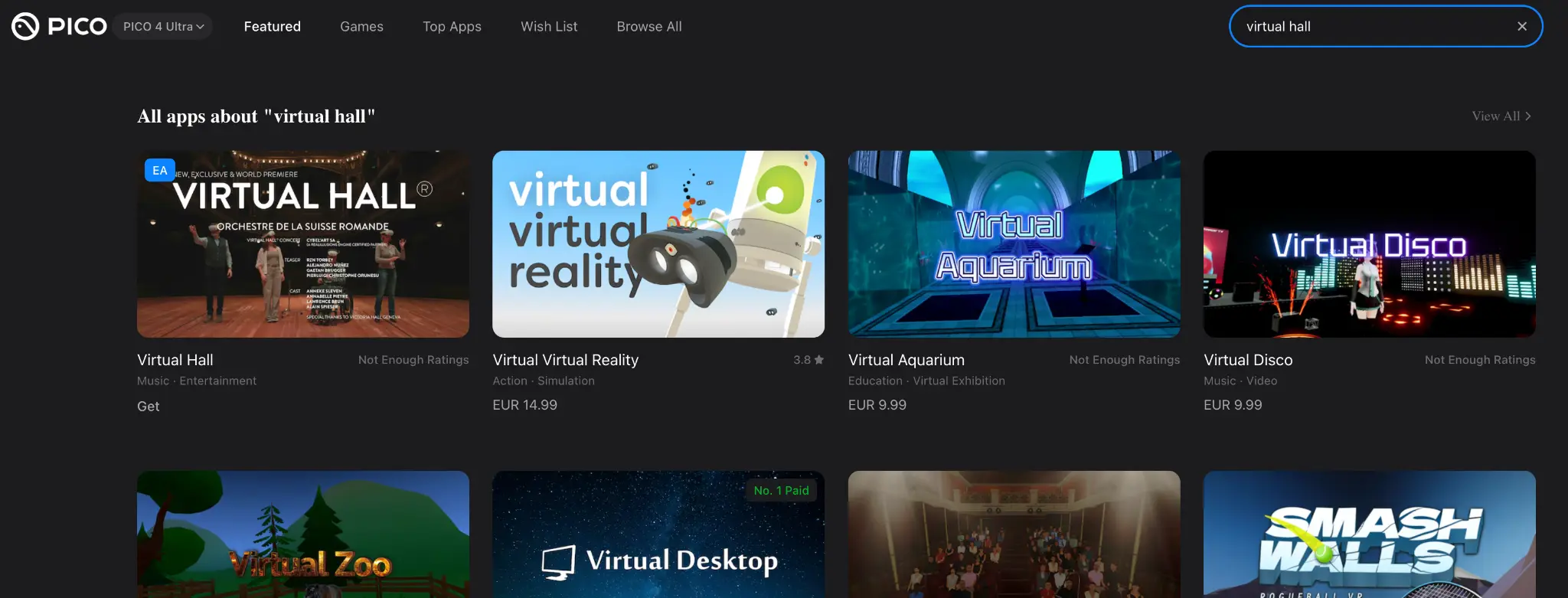
Type the name in search
Search for Virtual Hall®, without the ® symbol. Our app is the one shown in the screenshot below.
-
Select Virtual Hall®
Open its listing and follow the Store instructions. Labels may vary by language and interface version.
Need a hand?
Does the listing say “not found”?
Open the PICO Store homepage, check the selected headset, and search for the app again. A direct link that fails is not enough to conclude that Virtual Hall® has been removed.
The app does not appear in my headset
Check your connection, your usual account, and PICO OS updates. If it is still absent, tell us your country, the exact headset model, and the message displayed. Never send a password.
What do “Get” and “Early Access” mean?
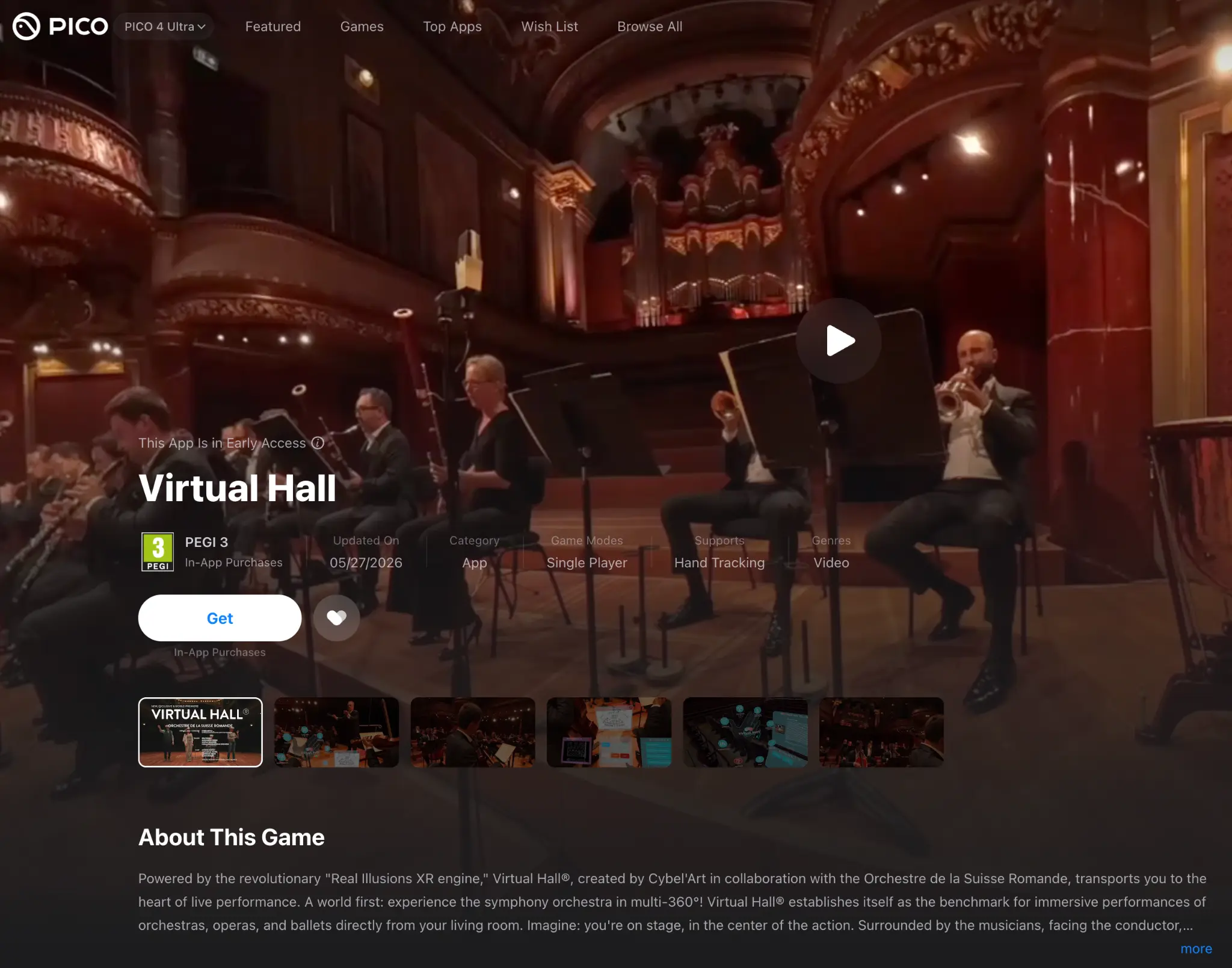
The screenshot shows the “Get” button and the “Early Access” label. It also mentions in-app purchases. Review the terms and content offered in the Store; a “Get” button does not mean that all content is free.
Is my PICO 4 or older headset compatible?
No: the consumer PICO 4 and other earlier PICO models cannot run the Virtual Hall® app. PICO 4 Enterprise has separate access under a special license: contact us before any installation.
On computer or mobile, the 360° web experience is separate from the virtual reality app.